Active Directory Home Lab
Built a local AD environment to practice common attacks including NTLM relay, token impersonation, and Kerberos abuse.
Tools: Windows Server, OSTicket
Added: February 17, 2026
🖥️ Active Directory Enterprise Lab (Windows Server 2022)
A complete enterprise-grade Active Directory environment built from scratch using Windows Server 2022, Windows 10/11, Group Policy, NTFS permissions, file servers, printers, and real-world help desk workflows. This project simulates a real corporate IT infrastructure and demonstrates practical system administration skills.
📘 Project Overview
This lab environment includes:
- 1 Domain Controller (Windows Server 2022)
- 2 Domain-joined workstations (Windows 10 & Windows 11)
- Fully structured Organizational Units (OUs)
- Department-based security groups
- Group Policies for security and workstation control
- File server with NTFS permissions
- Home folders (H:) with automatic provisioning
- Shared drive (S:) deployed via GPO
- Print server with automatic printer deployment
- Real-world IT troubleshooting tasks
Network used: 192.168.192.130 – 134
🏗️ Architecture Overview
VMware Workstation Lab │ ├── DC01 (Windows Server 2022) │ ├── Active Directory Domain Services │ ├── DNS │ ├── Group Policy Management │ ├── File Server │ ├── Print Server │ └── Home Folder Server │ ├── WIN10-CLIENT (Domain Joined) └── WIN11-CLIENT (Domain Joined)
🏢 1. Active Directory Setup
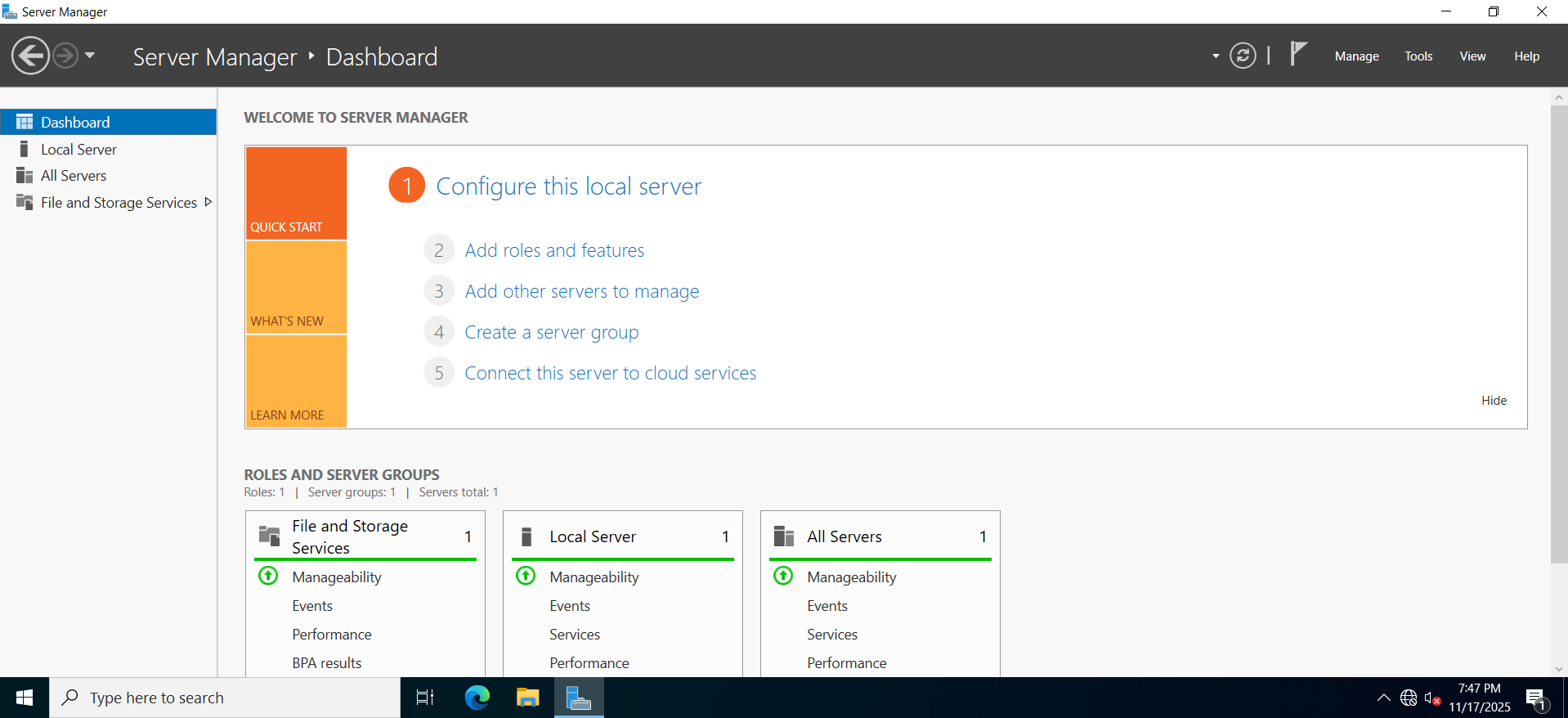
✔ Installed Windows Server 2022
Configured static IP, hostname, Windows updates.
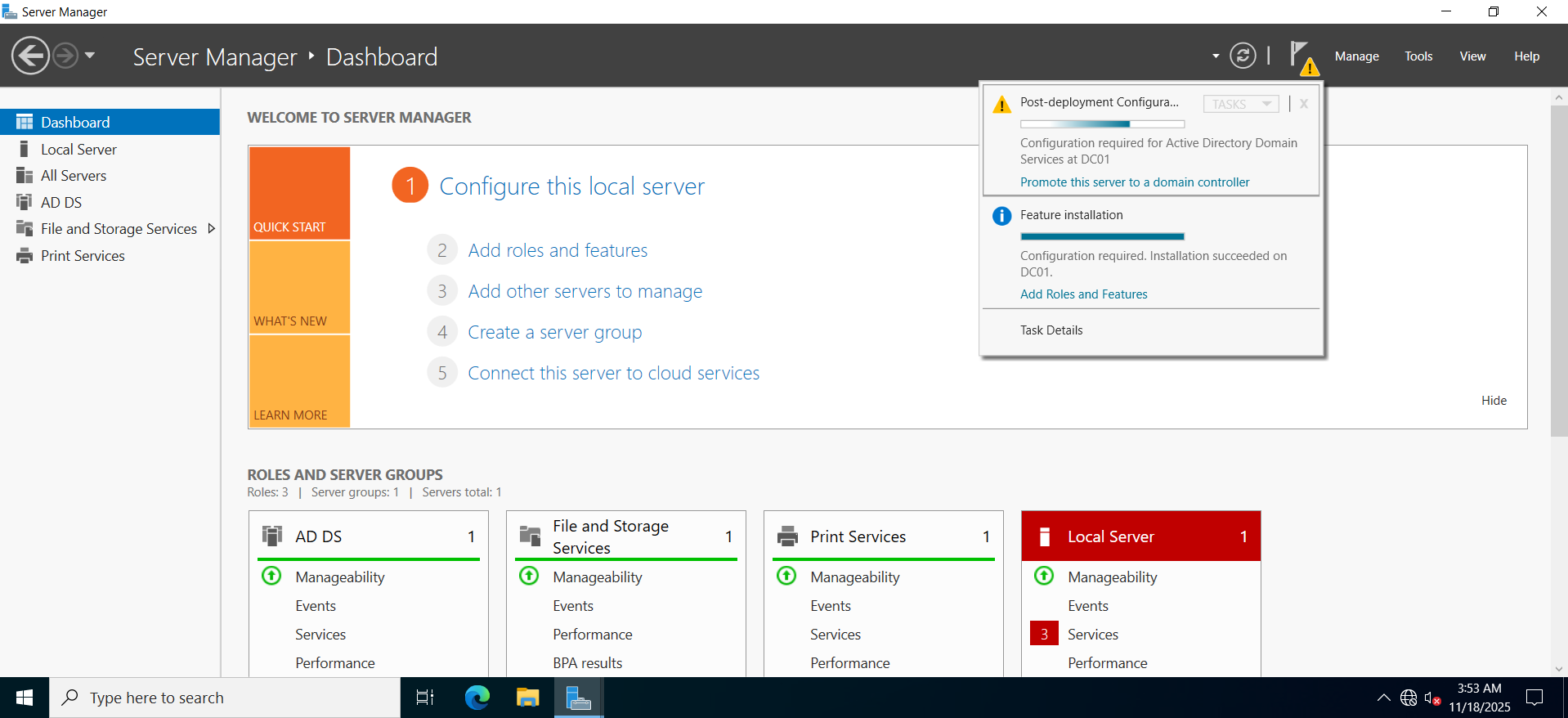
✔ Promoted DC01 to Domain Controller
Domain: C.LOCAL
✔ DNS Installed
Forward lookup zones configured; verified workstation DNS registration.
✔ Troubleshooting
- ❌ RSoP not showing applied policies
✔ Fixed by linking GPO to the correct OU (Employees).
🗂️ 2. Organizational Unit Structure
Company ├── Employees │ ├── HR │ ├── Finance │ ├── Sales │ └── IT ├── Workstations └── Groups
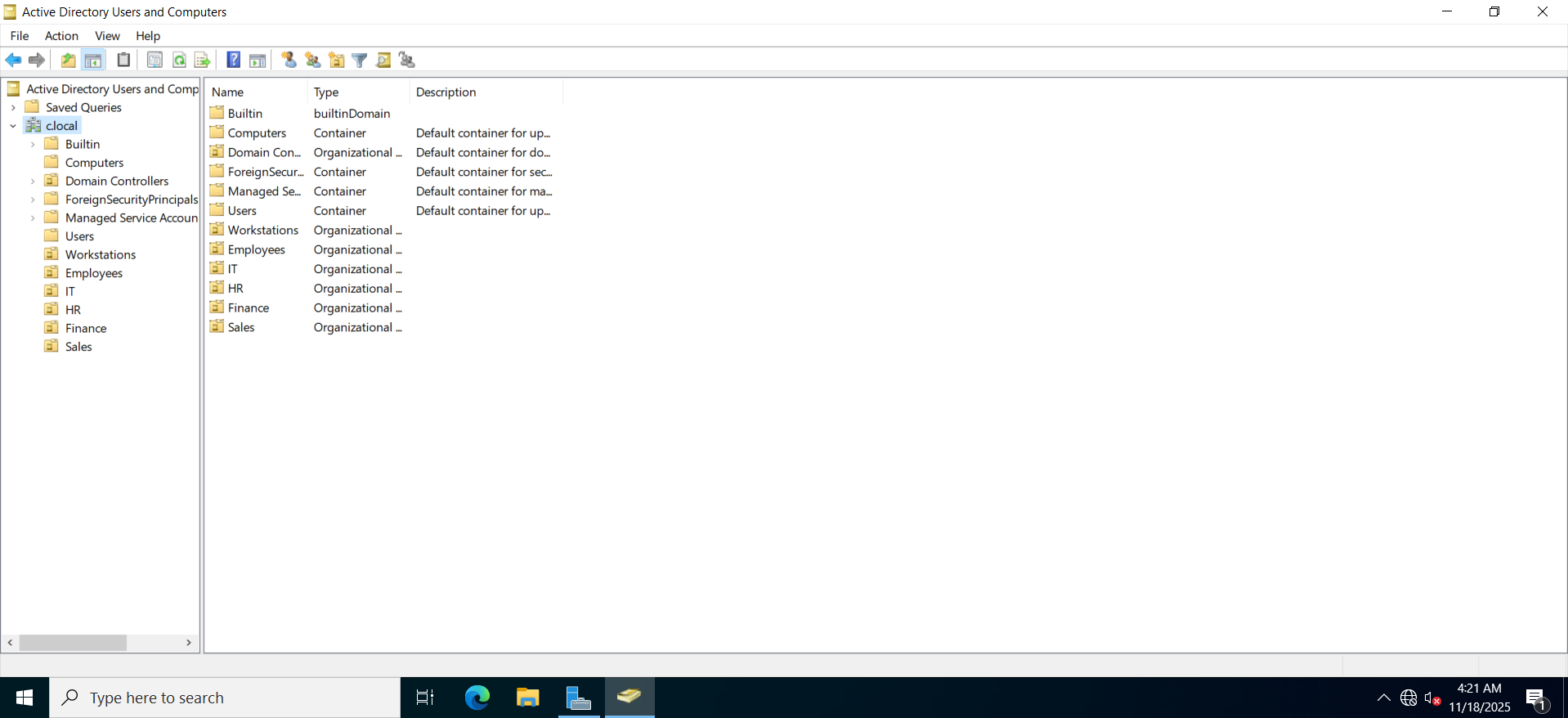
Each department contains users + a matching security group.
👥 3. Users & Security Groups
Created department users and groups:
| Department | Group | Example User |
|---|---|---|
| HR | HR-Staff | sarah.brown |
| Finance | Finance-Staff | emma.stone |
| Sales | Sales-Staff | john.smith |
| IT | IT | admin.it |
✔ Issue Encountered
- ❌ “Windows cannot find IT” when adding group permissions
✔ Cause: OU existed but the security group didn't
✔ Fix: Created “IT” security group.
🚦 4. Group Policy Management
Policies Configured:
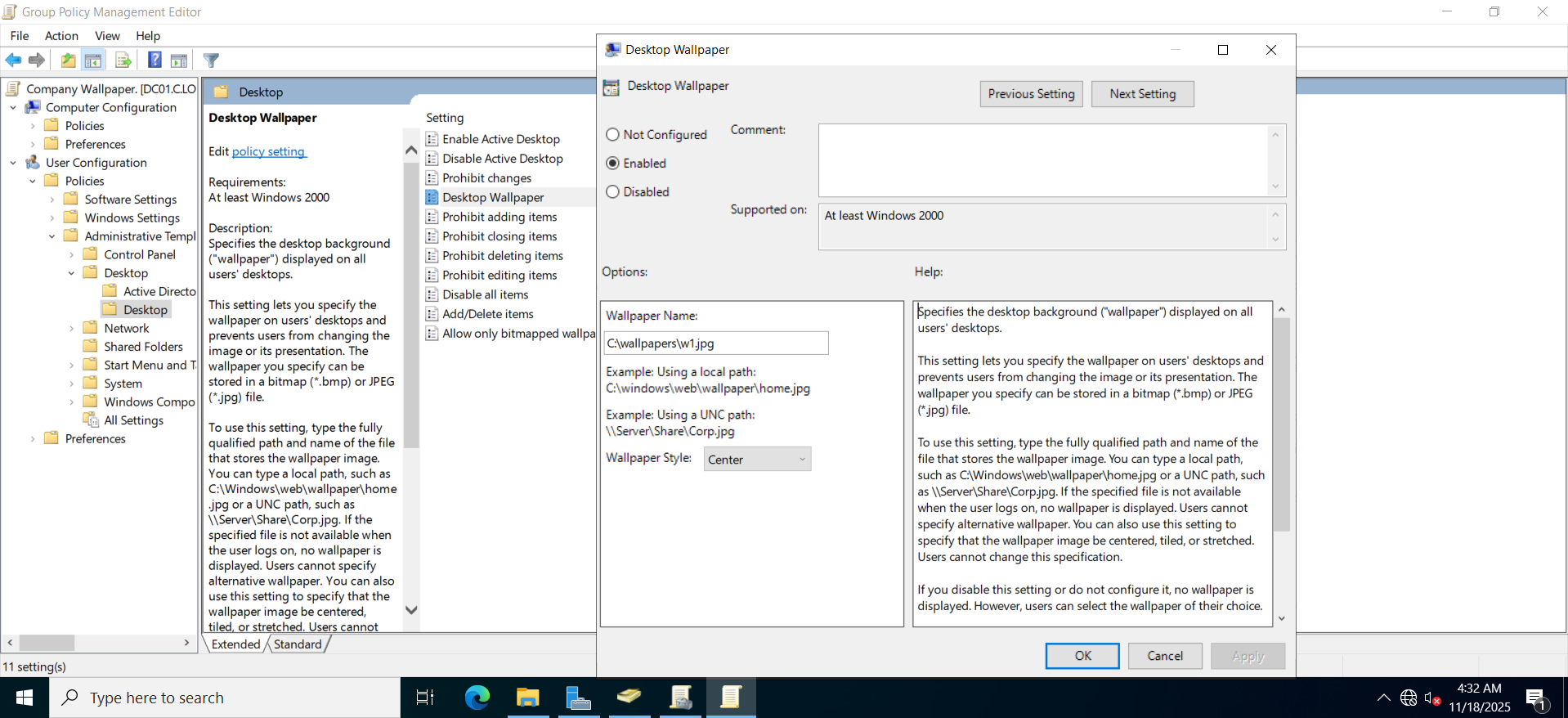
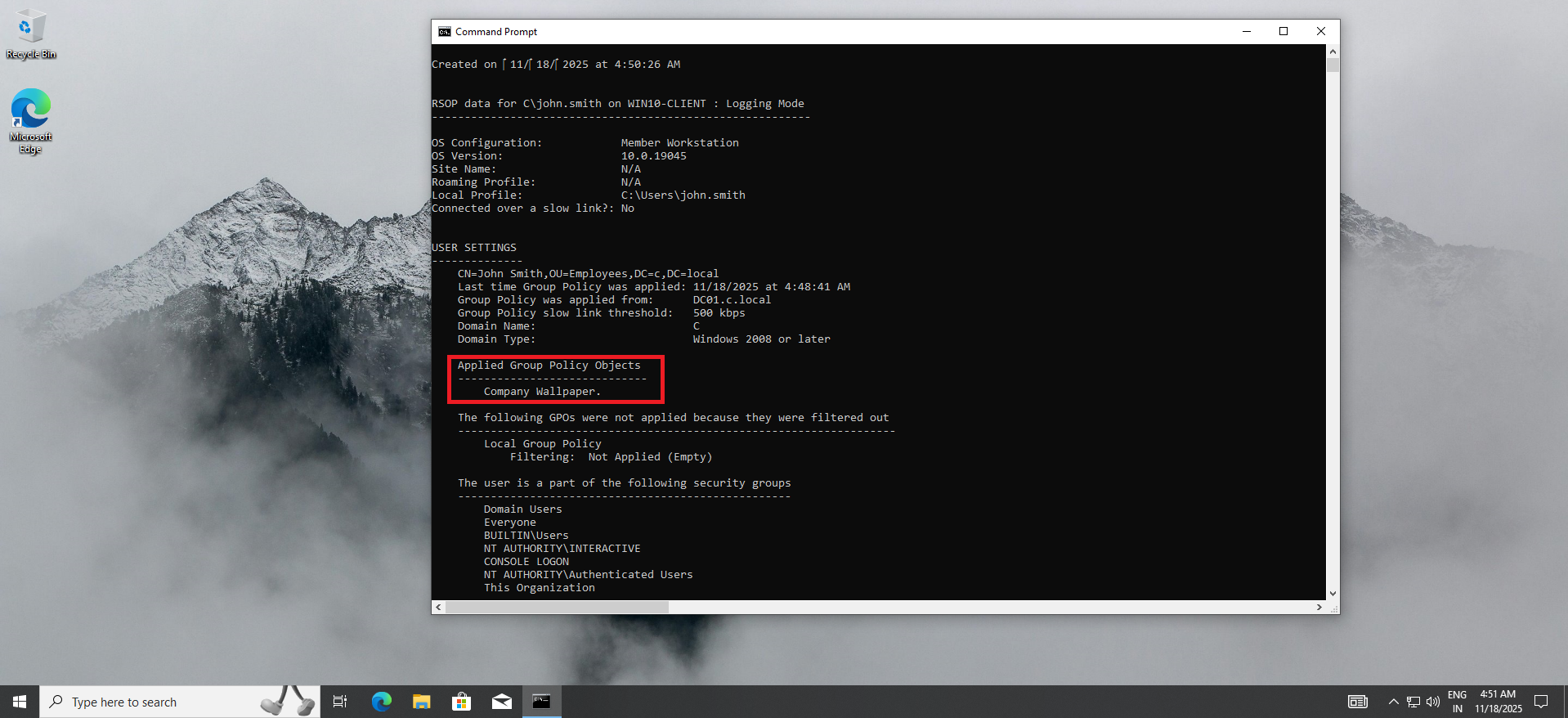
✔ Desktop Wallpaper
Using a shared UNC path: \DC01\Wallpapers\company.jpg
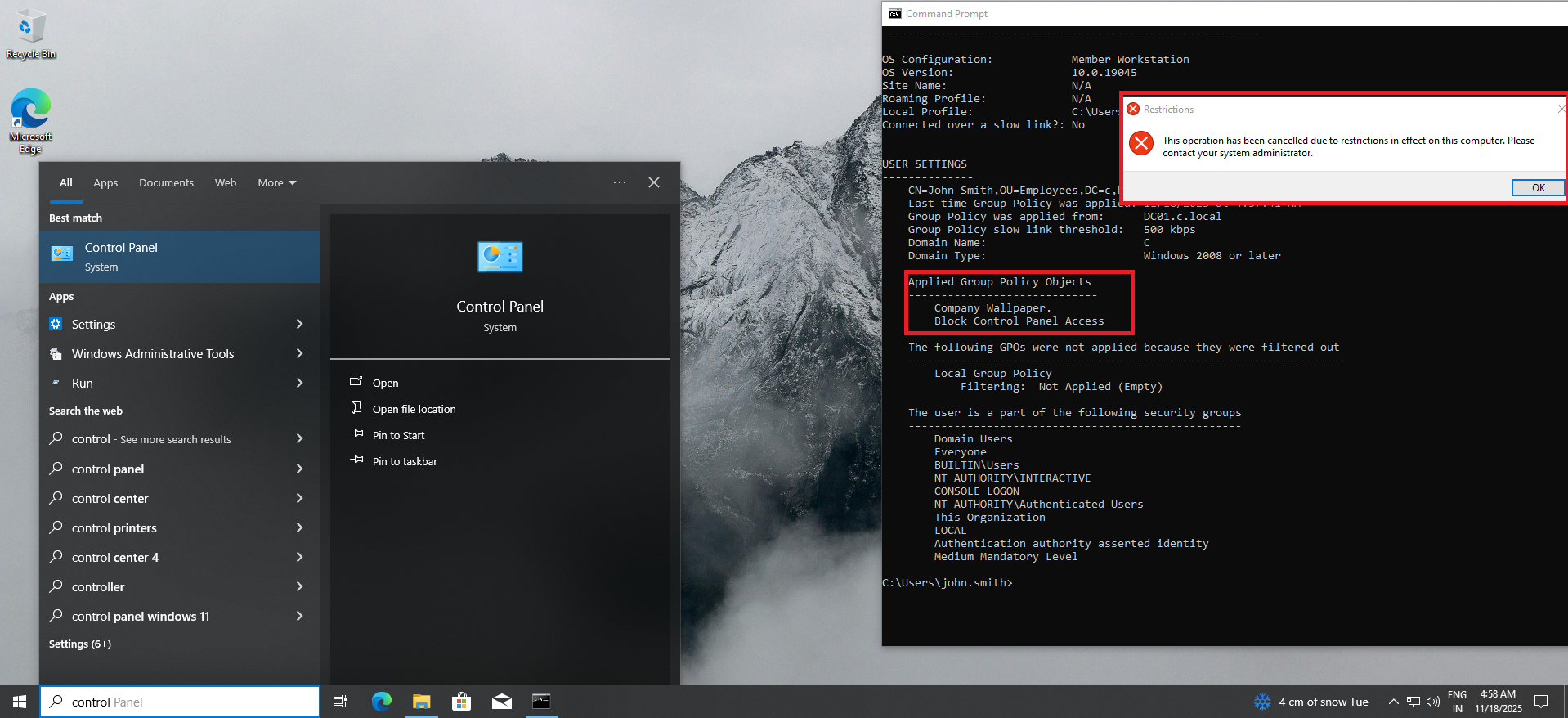
✔ Block Control Panel
User Configuration → Administrative Templates → Control Panel → Prohibit Access
✔ Block USB Storage
Computer Configuration → Administrative Templates → System → Removable Storage Access
✔ Login Script
VBS script stored in SYSVOL for a welcome popup.
✔ Password Policies
Updated in Default Domain Policy:
- Minimum password length: 8
- Password history: 5
- Maximum password age: 90 days
- Complexity requirements: Enabled
🗄️ 5. File Server + NTFS Permissions
Created:
C:\CompanyData
├── HR
├── Finance
├── Sales
└── IT
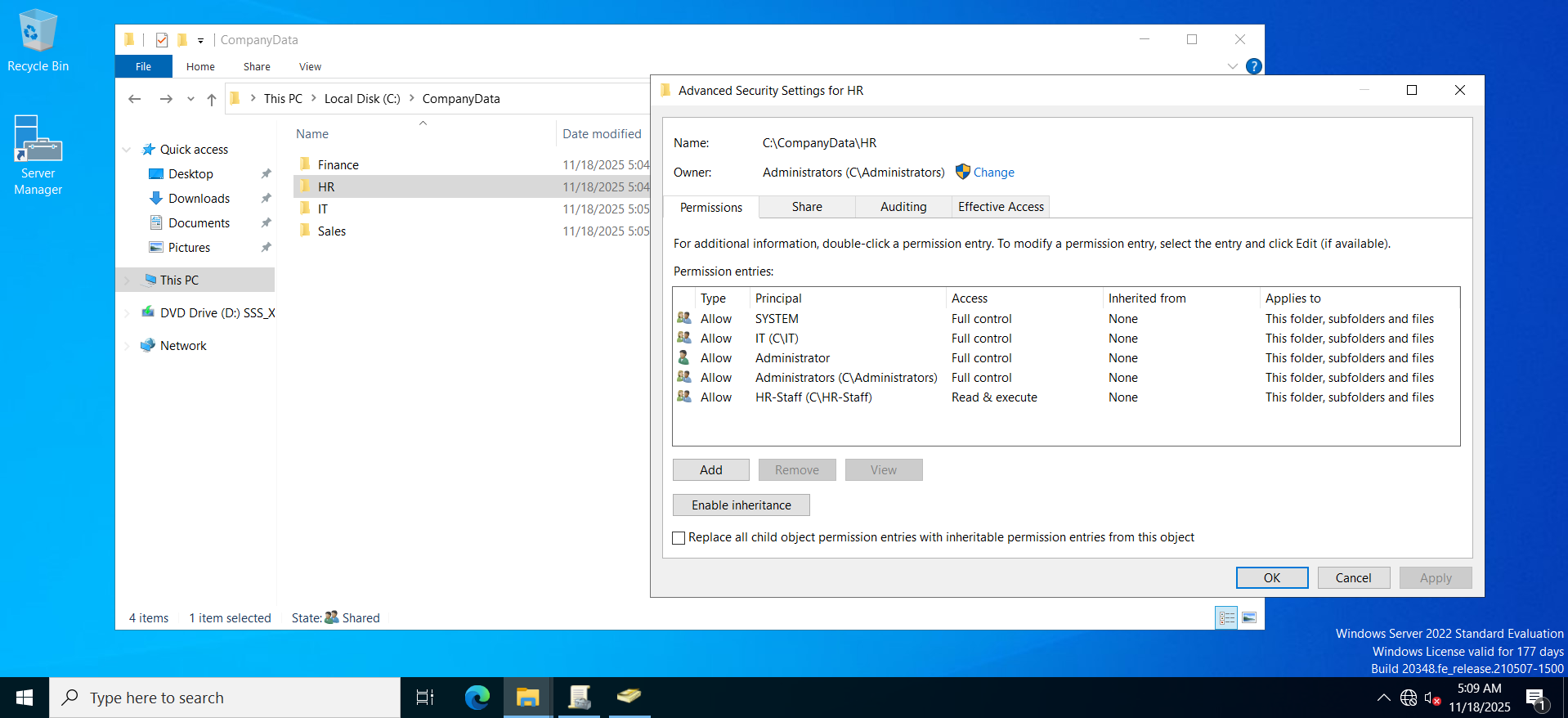
Permissions Applied:
| Folder | Allowed Group | Permissions |
|---|---|---|
| HR | HR-Staff | Modify |
| Finance | Finance-Staff | Modify |
| Sales | Sales-Staff | Modify |
| IT | IT | Full Control |
 |
❌ Issue Encountered
User could access HR but not Sales.
✔ Fix
Disabled inheritance → Converted permissions → Added Sales-Staff group correctly.
🔁 6. Drive Mapping (S:)
Deployed via GPO:
User Configuration → Preferences → Windows Settings → Drive Maps
Mapped:
S: → \DC01\CompanyData
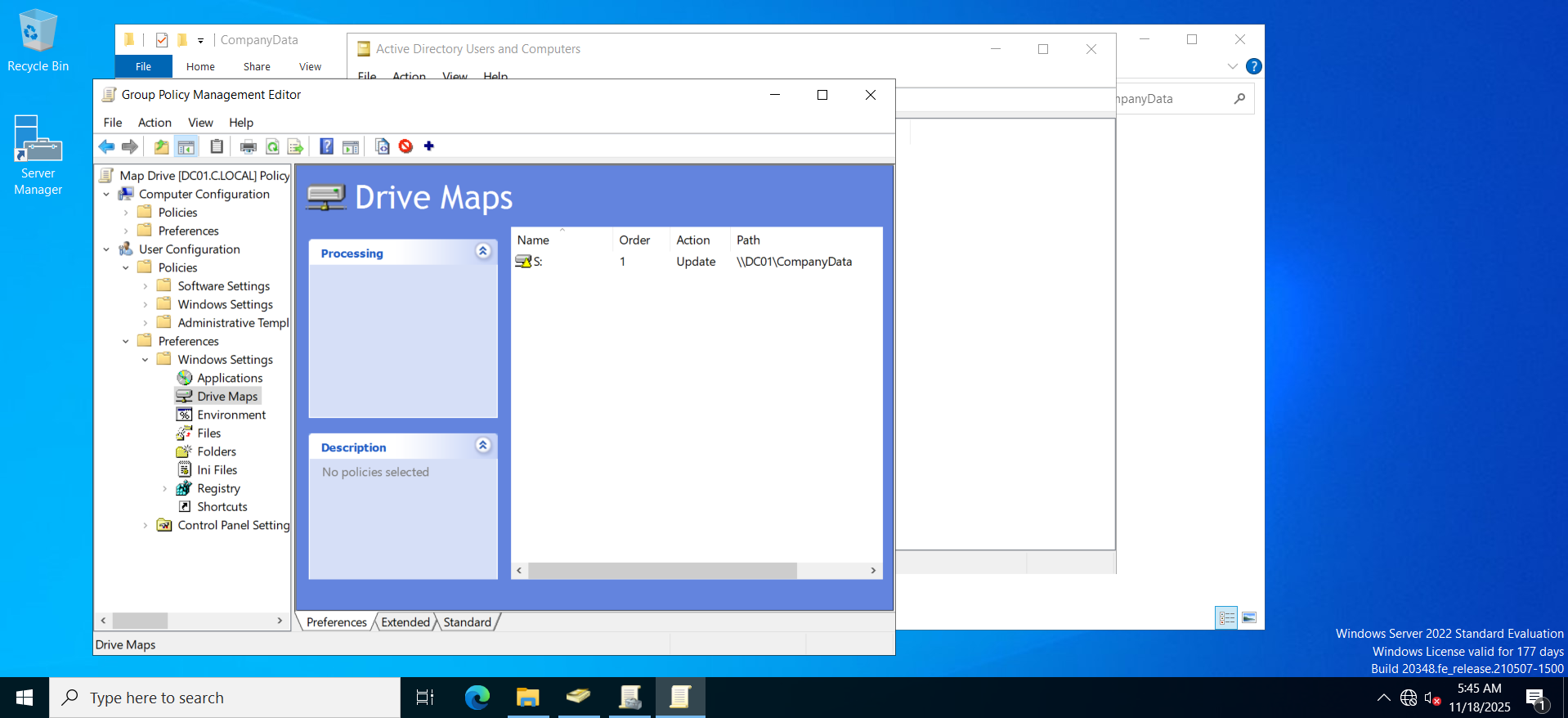
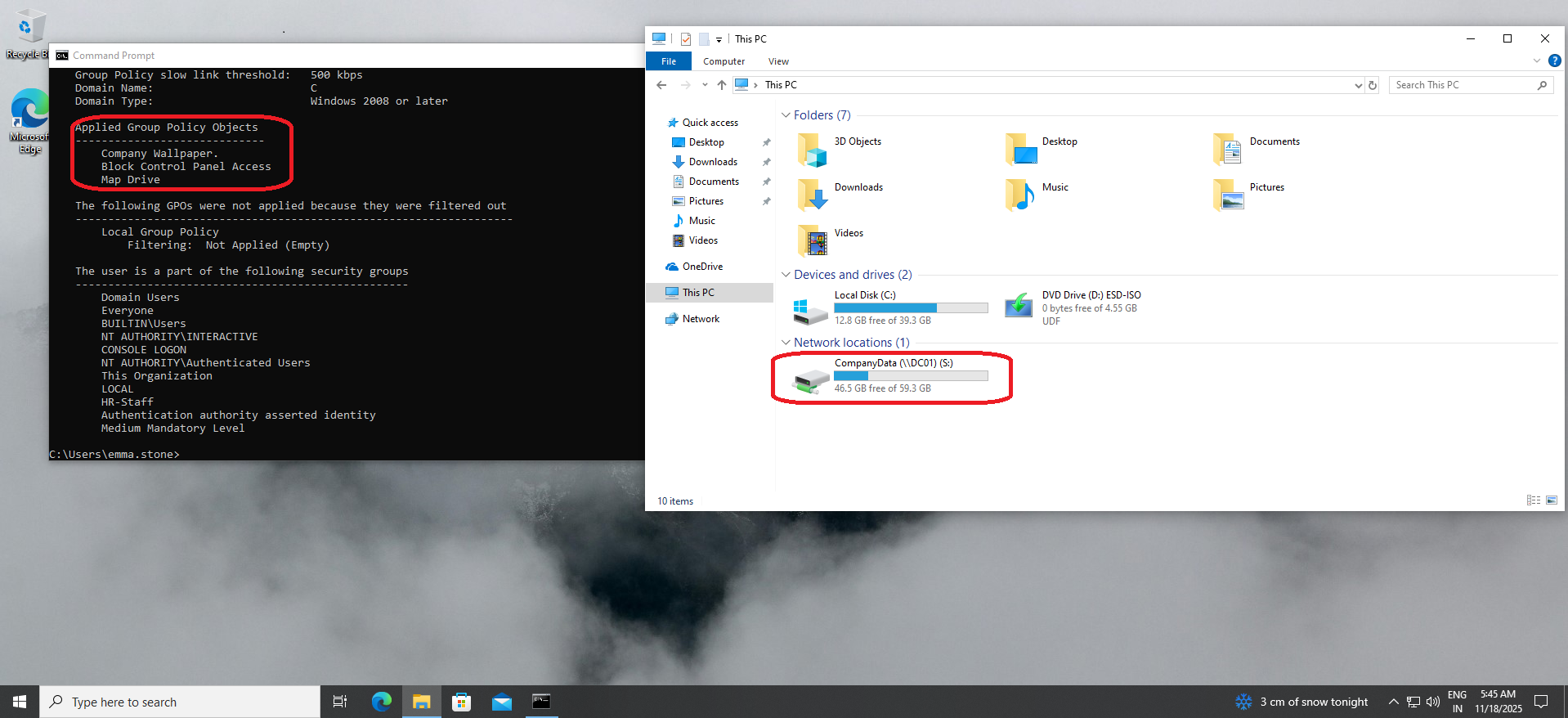
Users only see folders allowed by NTFS permissions.
🏠 7. Home Folders (H:)
Configured path:
\DC01\HomeFolders\%username%
❌ Issue Encountered
“You do not have create access on the server”
✔ Fix
Shared the HomeFolders directory → Assigned correct share permissions → AD successfully created home folders.
🖨️ 8. Print Server & Printer Deployment
- Installed Print and Document Services
- Created dummy network printer (LPT1 port)
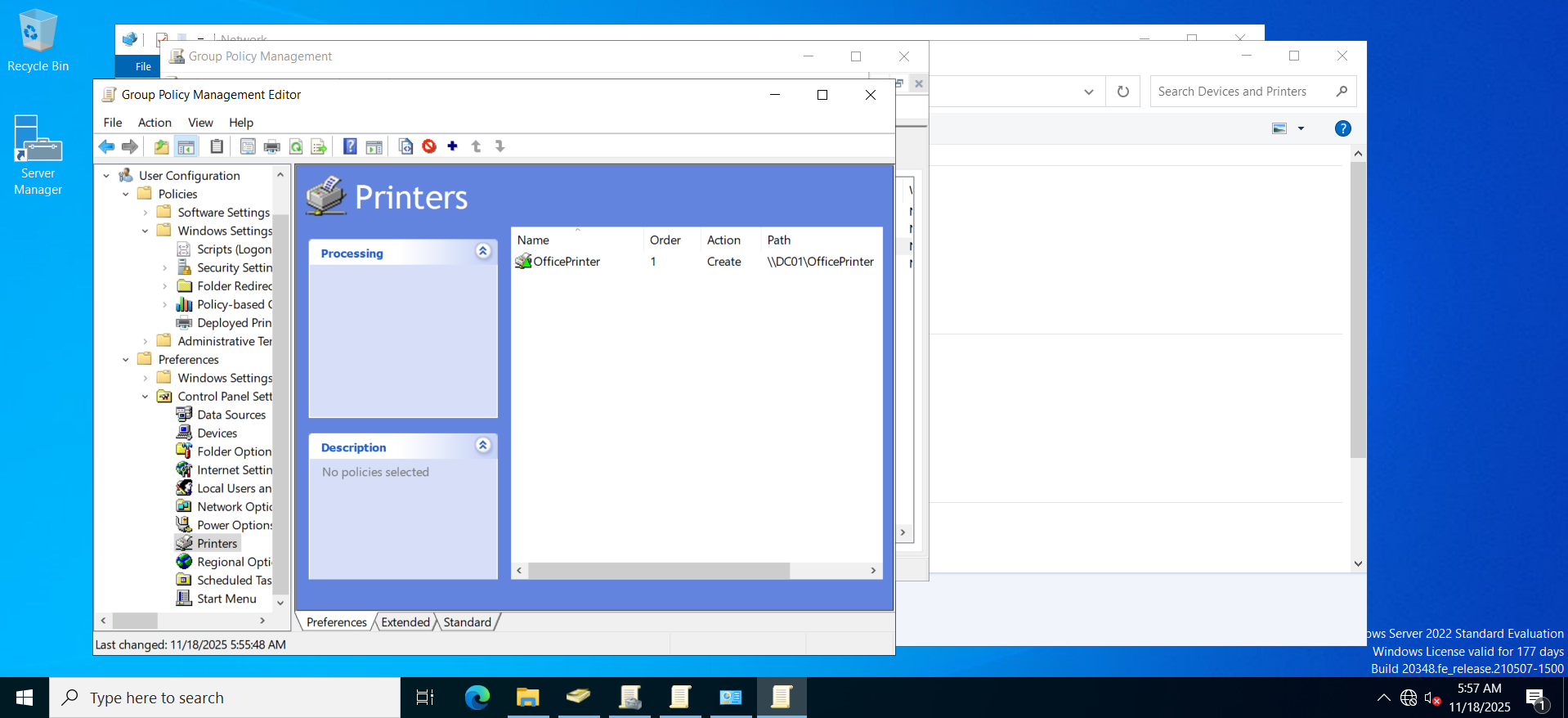
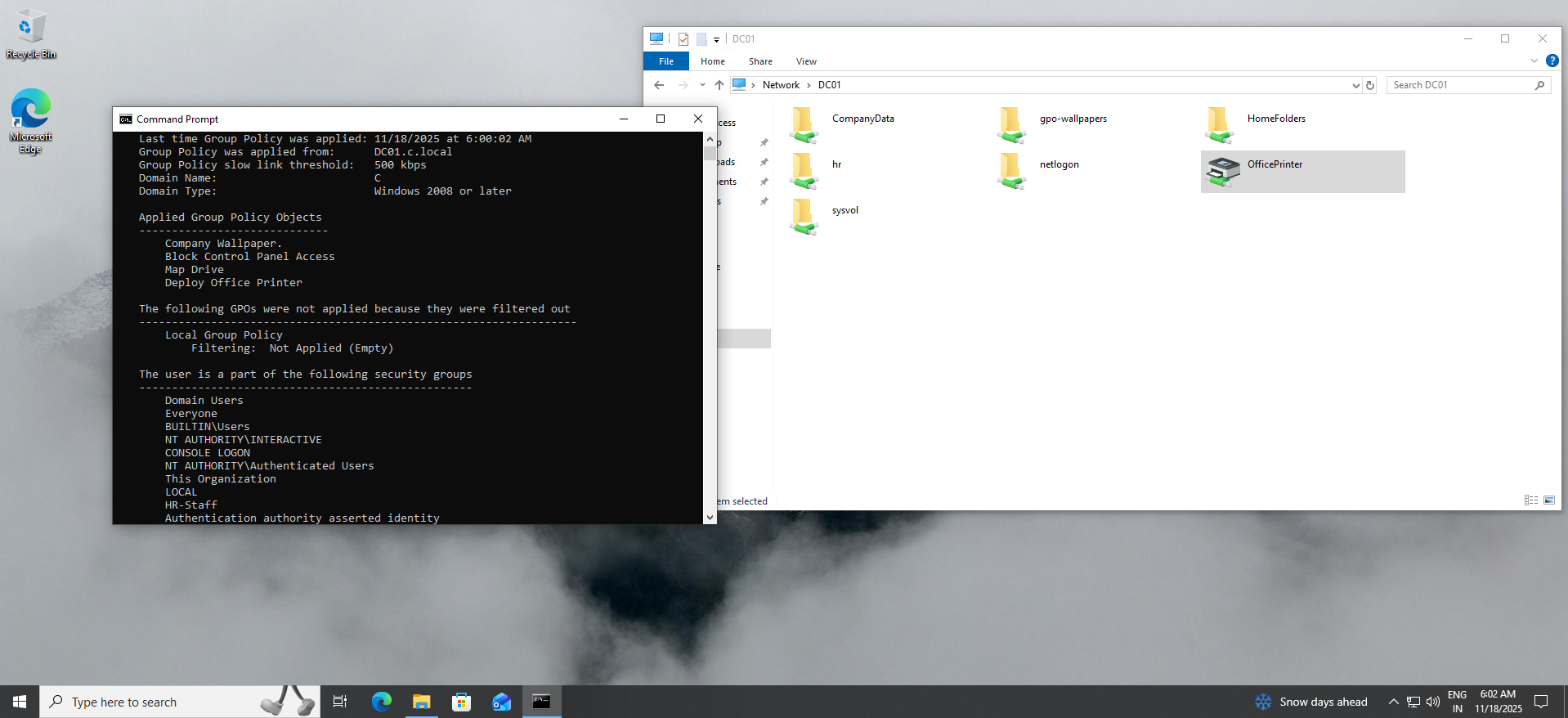
- Shared as: \DC01\OfficePrinter
- Deployed printer using GPO
- Verified printer installation on Windows 10 & 11 clients
🛠️ 9. Help Desk Simulation Tasks
Practiced real-world IT support tasks:
- Password resets
- Account unlocks
- Adding users to groups
- Moving computers to correct OUs
- Running gpupdate & gpresult
- Diagnosing GPO failures
- Fixing NTFS and share permissions
- RDP troubleshooting
- DNS verification
🧪 10. Testing
| Test | Result |
|---|---|
| GPOs applying | ✔ |
| Wallpaper working | ✔ |
| USB blocked | ✔ |
| S: drive mapping | ✔ |
| H: drive mapping | ✔ |
| Printer deployed | ✔ |
| Department folder access | ✔ |
| Domain login | ✔ |
🧰 Tools Used
- Windows Server 2022
- VMware Workstation
- Windows 10 / Windows 11
- Group Policy Management
- Active Directory Users & Computers
- NTFS & Share Permissions
- DNS
- Print Management
- RSOP / gpresult
- Ubuntu & Kali Linux (testing)
🏁 Conclusion
This project replicates an enterprise Windows domain and demonstrates:
- Active Directory administration
- Group Policy design
- File/Print server configuration
- Windows workstation management
- Real help desk troubleshooting
- Corporate-level permission structure
This matches the skills needed for:
- IT Support
- Help Desk Technician
- Junior System Administrator
- Entry-level Cybersecurity roles