IT Help Desk Ticketing System (osTicket)
Built a complete help desk environment using osTicket on Ubuntu Server. Demonstrates full ticket lifecycle — creation, categorization, escalation from Tier 1 to Tier 2, and resolution.
Tools: osTicket, Ubuntu Server 22.04, Apache, MySQL, PHP, VMware Workstation
Added: February 17, 2026
📘 IT Help Desk Ticketing System Project (osTicket)
A complete help desk workflow demonstration built using osTicket on Ubuntu Server.
This project highlights my understanding of ticketing systems, ticket lifecycle,
agent workflow, and basic IT support procedures used in real companies.
📂 Table of Contents
- Project Overview
- System Architecture
- Environment Setup
- osTicket Installation
- Ticketing System Configuration
- Ticket Lifecycle Demonstration
- What I Learned
- Resume Summary
- Interview Talking Points
📌 1. Project Overview
This project demonstrates my hands-on experience with:
- Setting up an osTicket environment
- Managing departments, teams, roles, agents, and users
- Understanding how tickets move in real help desk environments
- Documenting internal notes, escalation, and resolution
- Learning ticket lifecycle:
- Creation → Assignment → Internal Notes → Escalation → Resolution → Closure
This project is designed to build strong job-ready IT Support and Help Desk skills.
🏗️ 2. System Architecture
+-------------------------------+
| Ubuntu Server 22.04           |
|  - Apache Web Server          |
|  - PHP + Extensions           |
|  - MySQL Database             |
|  - osTicket Application       |
+-------------------------------+
             |
             |
+-------------------------------+
| osTicket Web Interface        |
| - User Portal                 |
| - Agent Panel                 |
+-------------------------------+
💻 3. Environment Setup
VM Platform: VMware Workstation
Server OS: Ubuntu Server 22.04 LTS
Specs:
- 2 vCPU
- 4 GB RAM
- 35 GB Storage
Software Installed: Apache, PHP, MySQL, osTicket
🛠️ 4. osTicket Installation
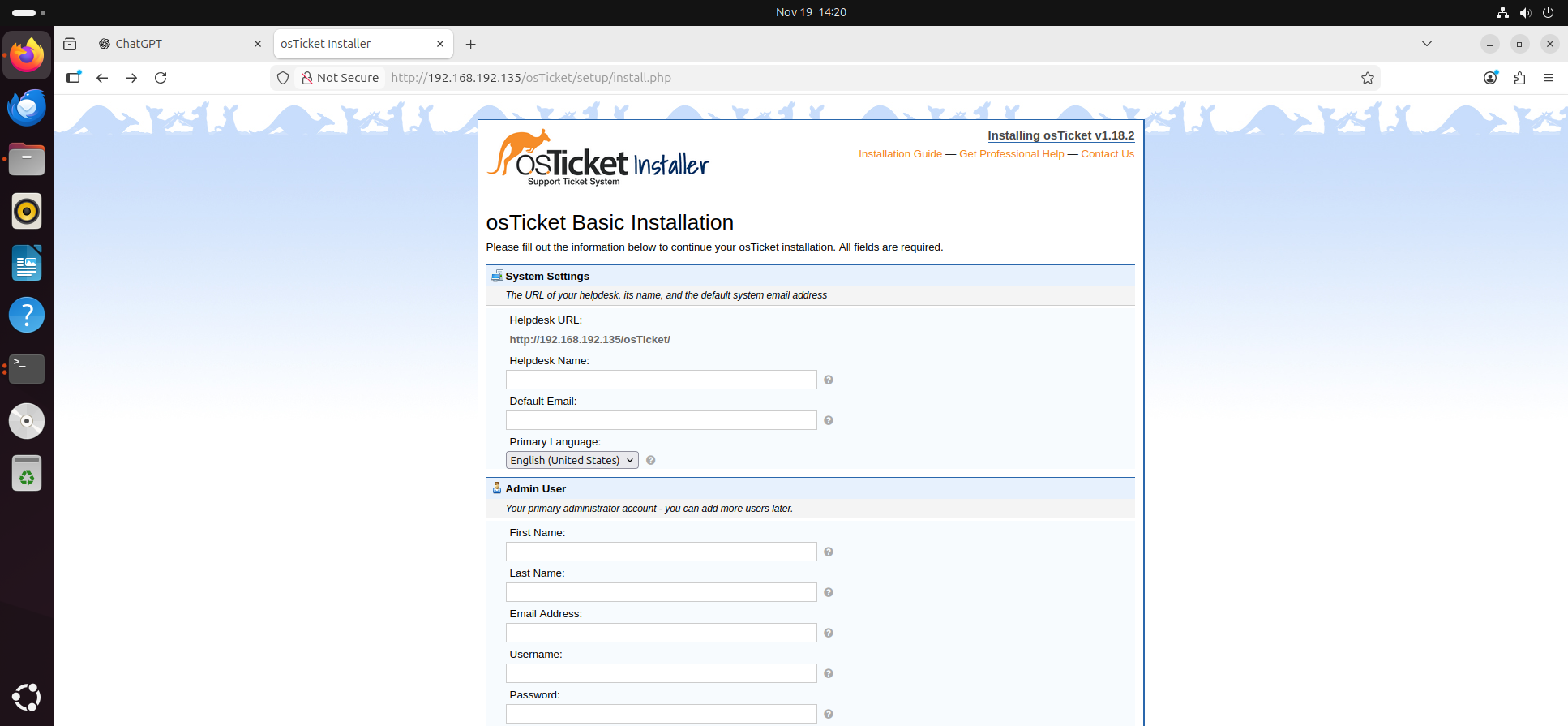
Installed osTicket manually by:
- Installing Apache, PHP, and modules
- Installing MySQL
- Creating osTicket database + user
- Copying osTicket files to
/var/www/html/osticket - Running the web installer
- Creating admin account
-
Securing config and removing setup directory
-
01 - Installer_Loaded.png
🧩 5. Ticketing System Configuration
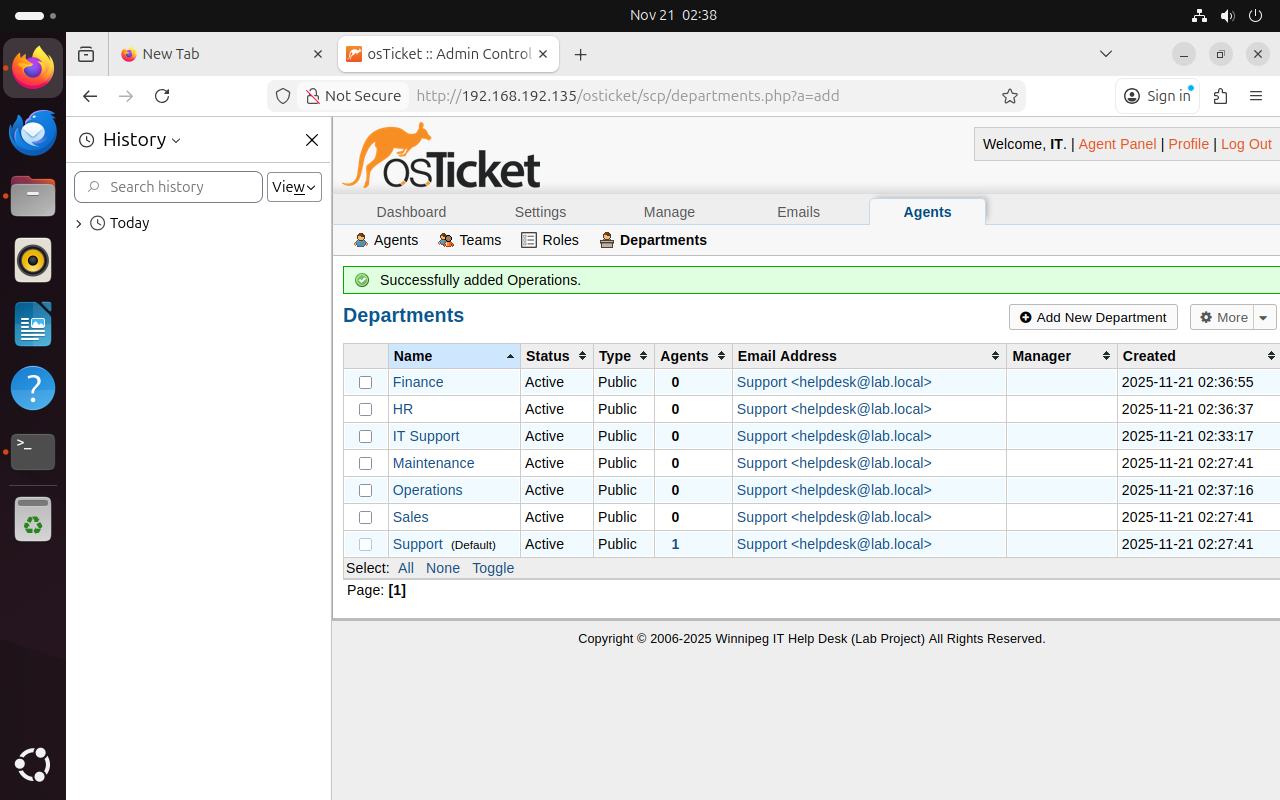
✔ Departments created:
- IT Support
- Human Resources (HR)
- Finance
- Sales
-
Operations
-
02 - Departments_Setup.png
✔ Roles created:
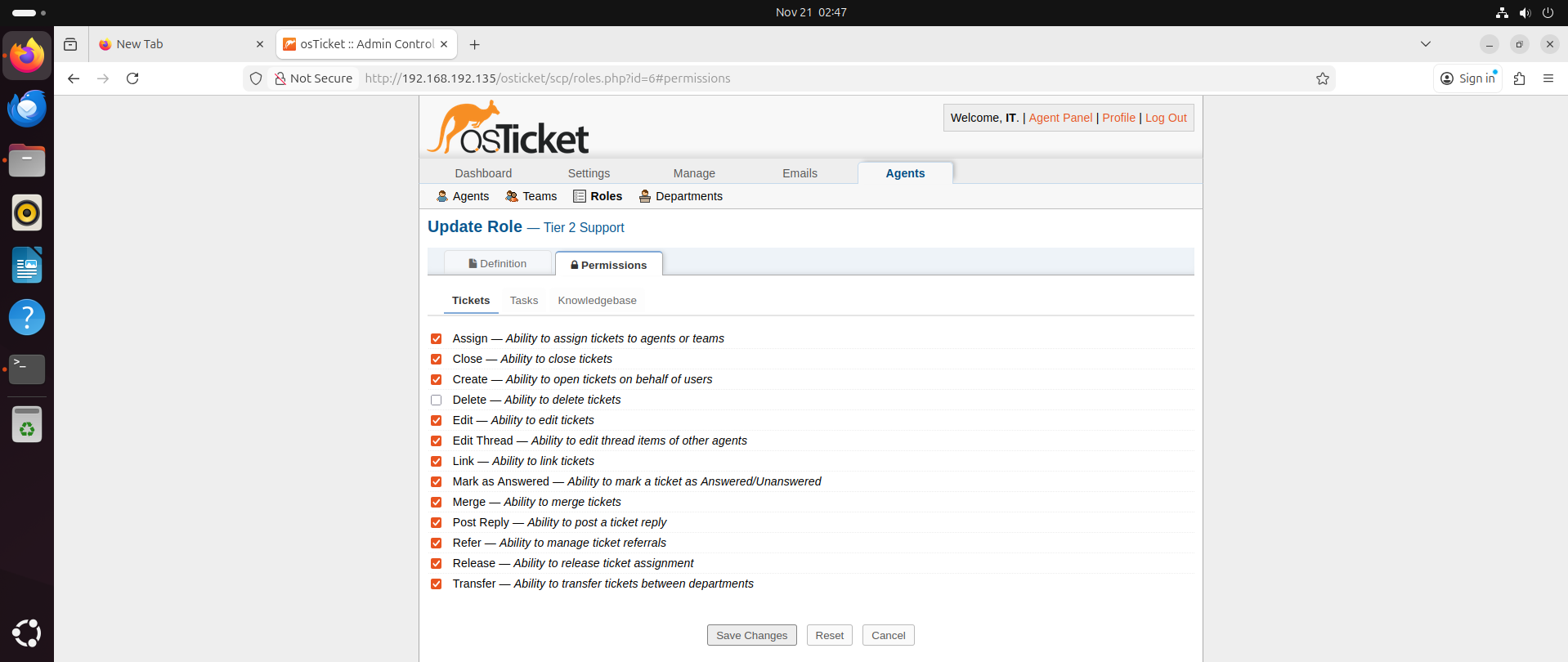
Tier 1 Support
- View tickets
- Post replies
- Assign / transfer
- Use premade replies
Tier 2 Support
- All Tier 1 permissions
- Edit tickets
- Close tickets
-
Manage SLAs
-
03 - Support_Role.png
✔ Teams
- Help Desk Team (Tier 1)
- IT Support Team (Tier 2)
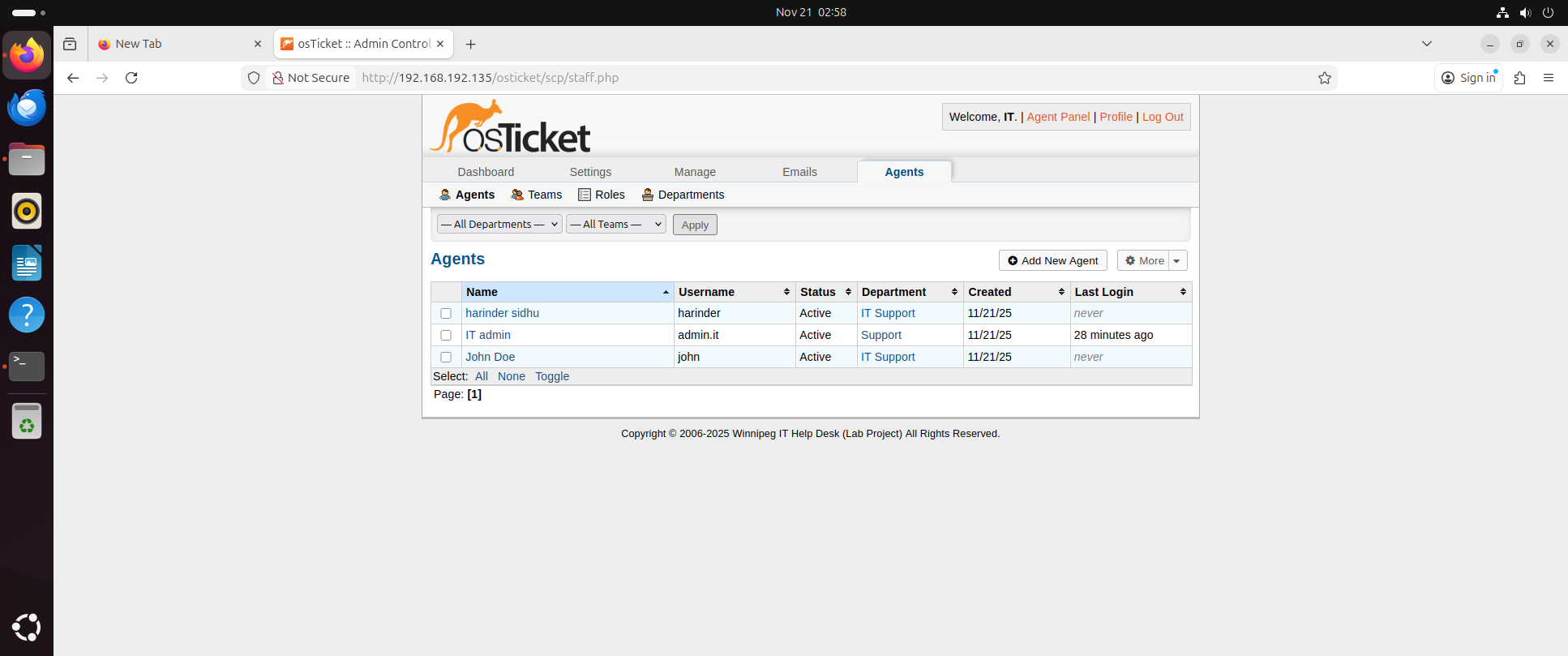
✔ Agents
- Harinder Sidhu → Tier 2
-
John Doe → Tier 1
-
04 - Agents_List.png
✔ End Users (Employees)
- Simranjit Singh (HR)
- Raj Patel (Finance)
- Rick (Sales)
🎫 6. Ticket Lifecycle Demonstration
Below is the full lifecycle of a ticket, showing my understanding of how help desk systems work in real jobs.
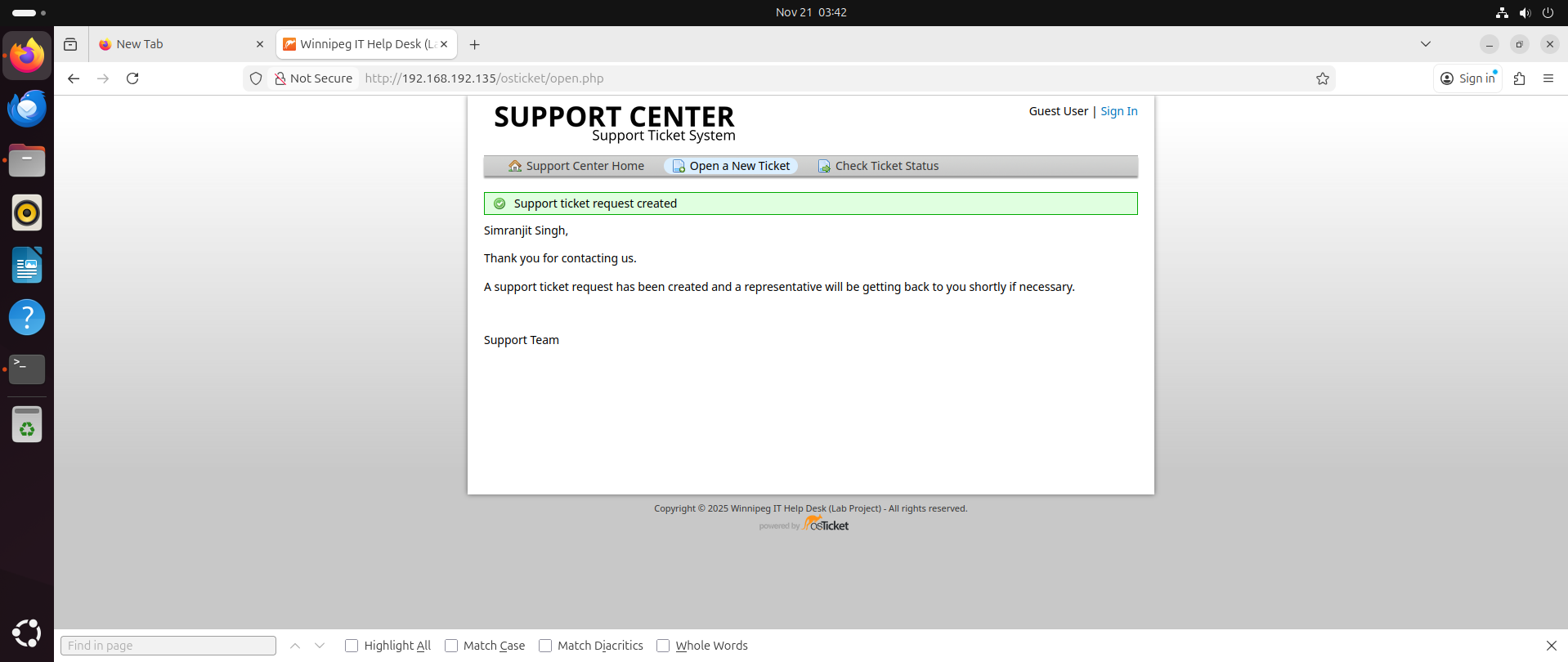
1) Ticket Creation
User opened a ticket from the user portal.
Example:
"Password Reset Request"
- 05 - Ticket_Created.png
🔐 ✔ Example Ticket Resolved: Password Reset
This example shows a simple and common help desk issue that almost every IT Support Technician handles: account lockout + password reset.
📝 Issue
User Simranjit Singh could not log in to their workstation.
The system displayed an account lockout message.

🔧 Fix
I opened Active Directory Users and Computers, located the user inside the Employees OU, and performed a password reset to unlock the account.
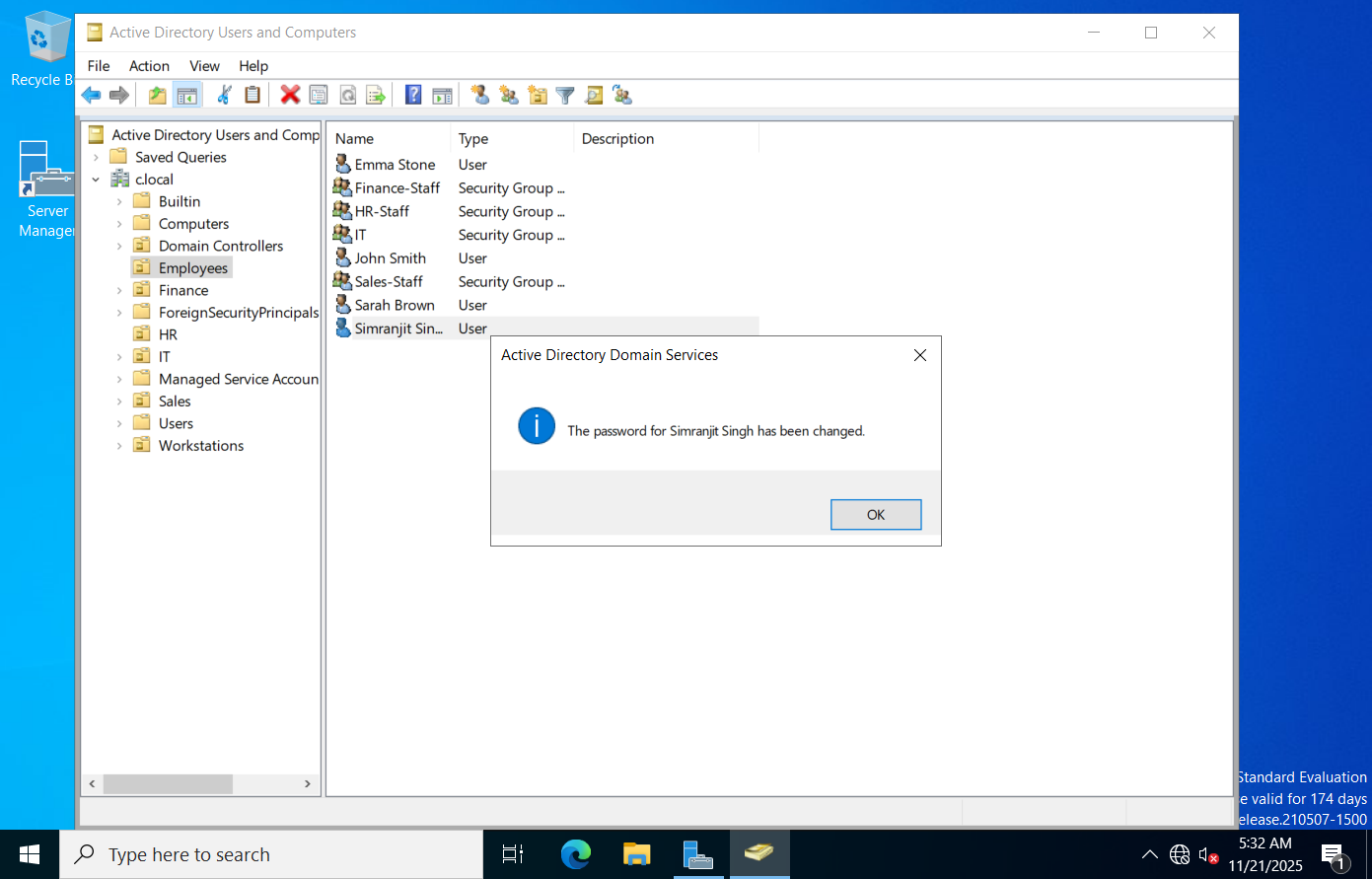
This restored the user’s access immediately.
📩 Final Reply
A short confirmation was sent back to the user stating that their password was reset and they can now log in successfully.
2) Categorization & Assignment
Ticket categorized under appropriate Help Topic and assigned to:
-
Help Desk Team (Tier 1)
-
06 - Tickets_Created_&_Assigned.png

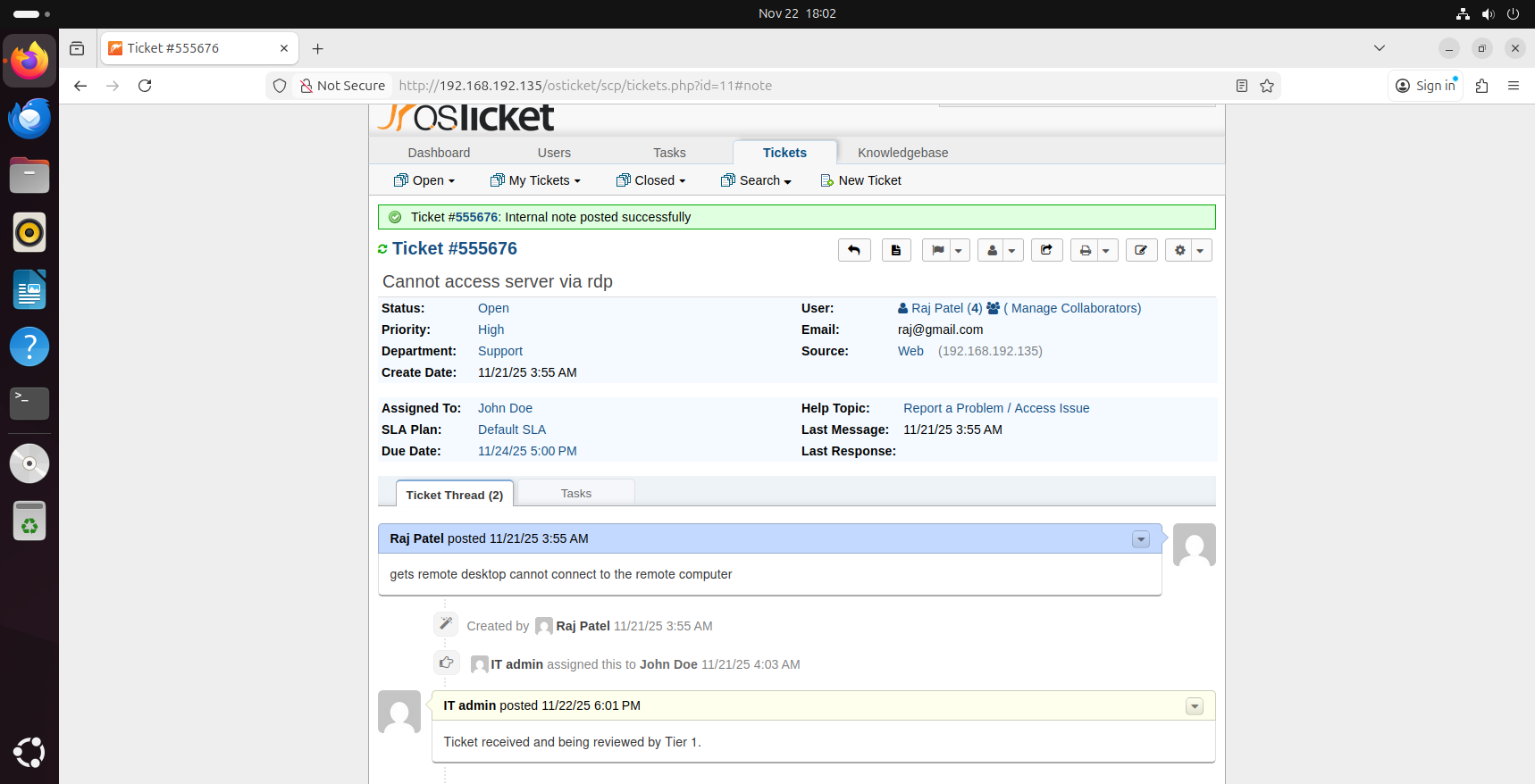
3) Internal Notes (Technician Documentation)
Tier 1 added an internal note:
Ticket recieved and being reviewed by Tier 1
- 07 - Internal_Note_Added.png
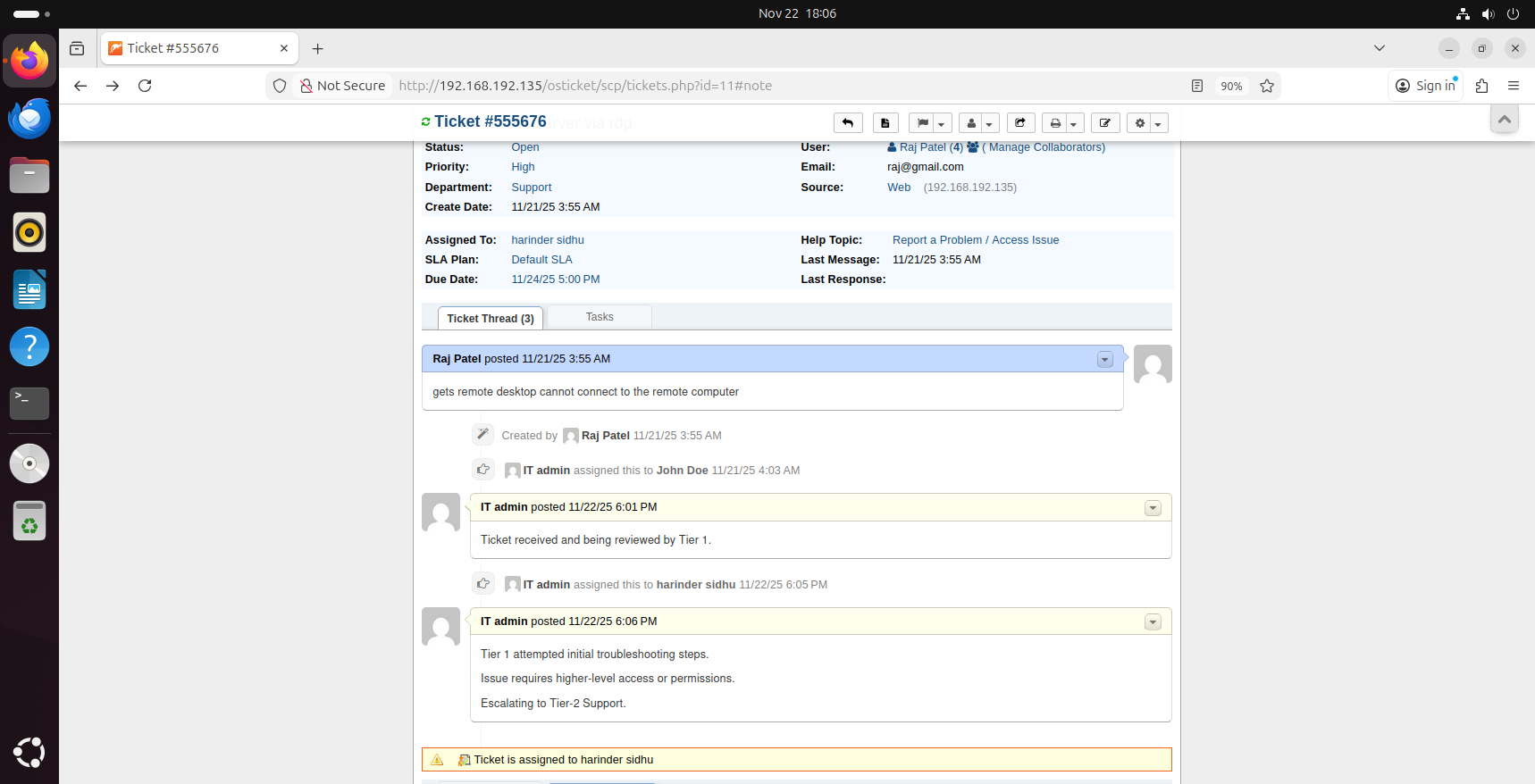
4) Escalation to Tier 2
Tier 1 escalated issue to:
- Harinder Sidhu (Tier 2 Support)
-
Status changed to In Progress
-
08 - Escalation.png
5) Final Reply to User
Tier 2 provided a professional user-facing reply:
Your issue has been resolved.
Please check on your side and let us know if you have any further problems.
6) Ticket Closed
Ticket marked as:
- Resolved or
-
Closed
-
09 - Final_Reply_&_Ticket_Closed.png

🎯 7. What I Learned
From this project I gained real, practical understanding of:
- How ticketing systems work
- How users submit requests
- How agents categorize tickets
- Adding internal notes and documenting work
- Assigning tickets to agents or teams
- Escalation process from Tier 1 → Tier 2
- Communicating with users professionally
- Closing tickets properly
These are core skills for Tier 1 IT Support, Service Desk, Help Desk roles.
📄 8. Resume Summary
osTicket Help Desk Ticketing System Project
- Built and configured osTicket on Ubuntu Server
- Set up departments, teams, roles, agents, and users
- Demonstrated full ticket lifecycle: creation, categorization, assignment, escalation, resolution
- Documented internal notes and professional communication with users
- Showcased understanding of real help desk workflows used in companies
💬 9. Interview Talking Points
- “Yes, I’ve worked with osTicket in a full help desk lab.”
- “I understand how the ticket lifecycle works from start to finish.”
- “I know how to escalate tickets from Tier 1 to Tier 2.”
- “I learned how to document internal notes and send professional replies.”
- “I built departments, roles, teams, and agent permissions myself.”
- “This project prepared me for real-world IT Support workflows.”
🎉 Project Completed Successfully
This project gives me real experience with help desk ticketing systems, ticket flows, documentation, and escalation — skills needed for my first IT job.